CEP Extension · After Effects

The panel, in context.

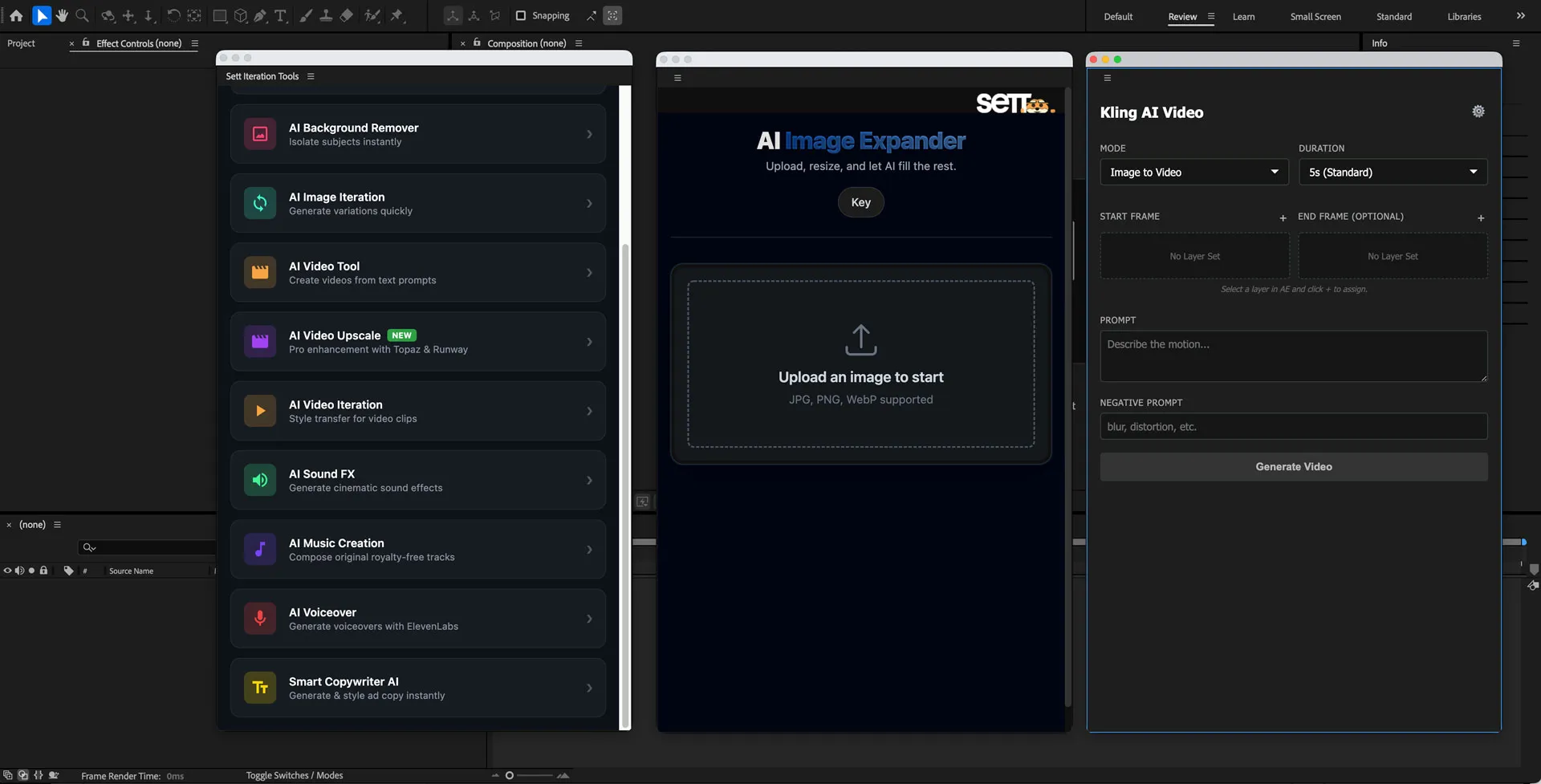
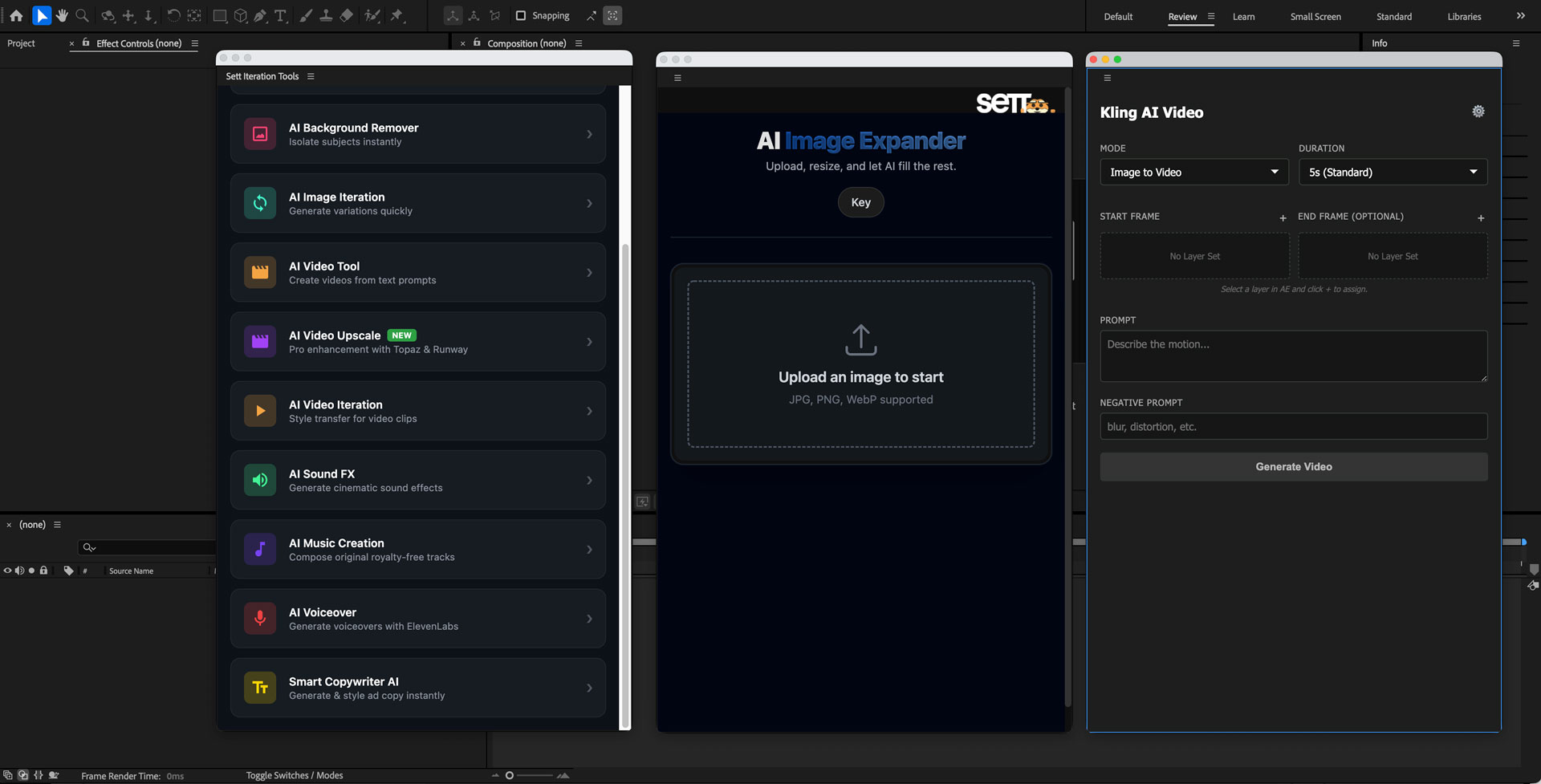
After Effects Hub docked inside AE — showing the module picker, the progress state, and results landing on the timeline. This is what motion designers see when they open it.
CEP Extension After Effects Kling ElevenLabs
View on GitHub
After Effects Hub — Panel Preview
After Effects Hub panel showing the AI module picker docked inside After Effects
The Hub panel docked in After Effects. The module grid lives in AE's panel column, adjacent to native panels like Essential Graphics. Selection state, progress, and results are all managed without leaving the host app.
Panel module picker
Module picker
10 modules, one surface

Image, video, audio, and copywriting modules are categorised in a single scrollable panel. The selected layer scopes which modules are available.

Processing state
Progress inline, not in a dialog

The panel shows a live progress bar and status label while the AI module runs. AE remains fully responsive — the designer can keep editing other layers.

Result placement
New layer, auto-placed on the timeline

When the module completes, the result appears as a named layer in the active comp — at the correct in/out point, above the source. No re-import required.

All 10 modules, at a glance.

Every module routes a different AI capability through the same panel interface — same selection model, same progress state, same result-as-layer convention.

Image Expansion
Outpaint beyond the frame edges — extend backgrounds, reframe comps.
Image
Upscaling
4× and 8× resolution upscale for footage and stills.
Image
Background Removal
One-click transparent background — photo or video.
Image
Video Generation
Generate video clips via Kling from the selected layer's context.
Video
Audio Synthesis
Generate voiceovers and SFX via ElevenLabs, auto-synced to comp length.
Audio
Copywriting
Generate on-brand copy for title and lower-third text layers in the comp.
Text
Image-to-Image
Style and transform a still while preserving subject and composition.
Image
Object Removal
Remove a selected object from a still or frame — fills background intelligently.
Image
Slow Motion
AI frame interpolation for smooth slow-motion from standard-rate footage.
Video
Caption Generation
Auto-transcribe audio layers and place animated caption text layers in the comp.
Text